One of the object protocol enhancements introduced in OneFS 9.12 is the S3 Data Protection Mode (DPM). This feature integrates OneFS Multi-Party Authorization (MPA) with S3 data services to deliver stronger security controls, reducing risks associated with both accidental errors and malicious actions.
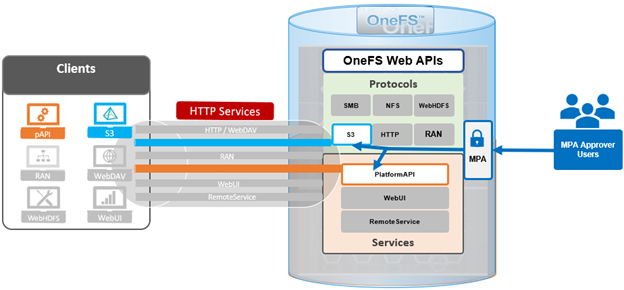
In the previous article in this series, we looked at the architecture and underpinnings of OneFS S3 Data Protection Mode. Now, we’ll turn our attention to the configuration and management of DPM.
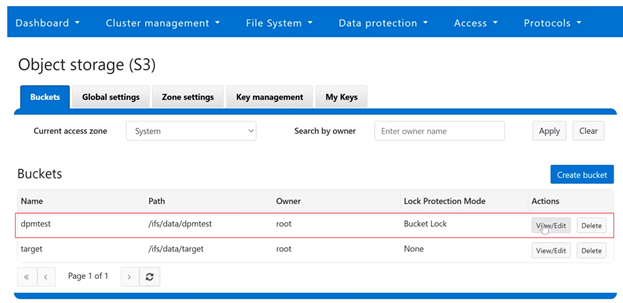
From the OneFS WebUI, the S3 bucket configuration can be found under Protocols > S3 > Buckets. In the following example, ‘dpmtest’ has been created and configured as an immutable S3 bucket, with its lock protection mode configured to ‘Bucket Lock’:
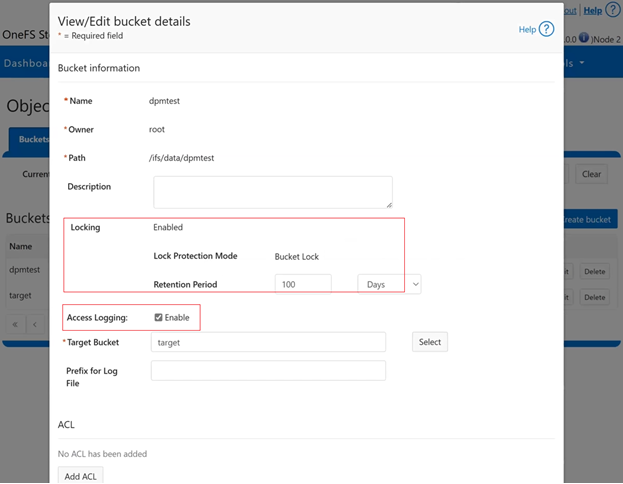
Clicking on the adjacent ‘View/Edit’ button reveals that its retention period is currently set to ‘100 days’, and access logging is ‘enabled’:
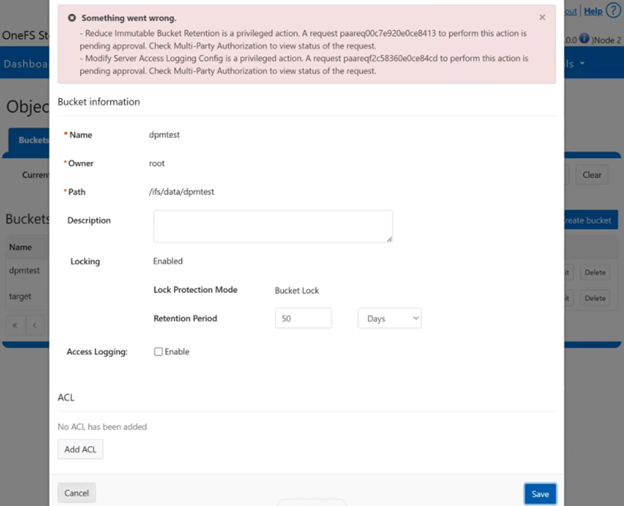
Next, the retention period is reduced to 50 days, and access logging is disabled:
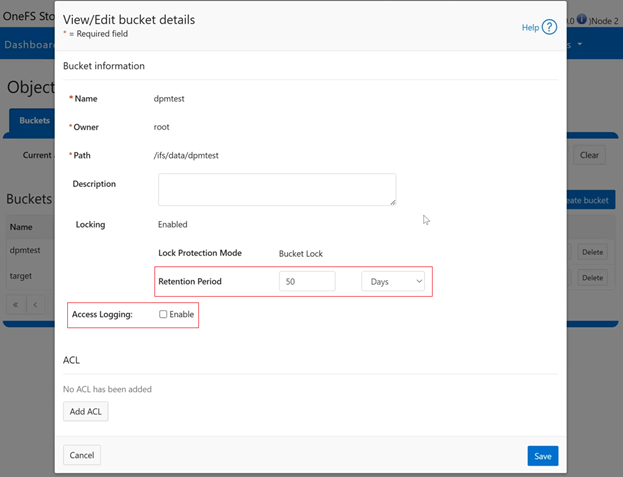
Or from the CLI:
# isi s3 buckets modify dpmtest –-default-retention-days 50 –-access-loging 0
Since there are both S3 protected actions, the WebUI displays the following warning banner, notifying that the actions are paused pending approval, and recommending checking the MPA request status:
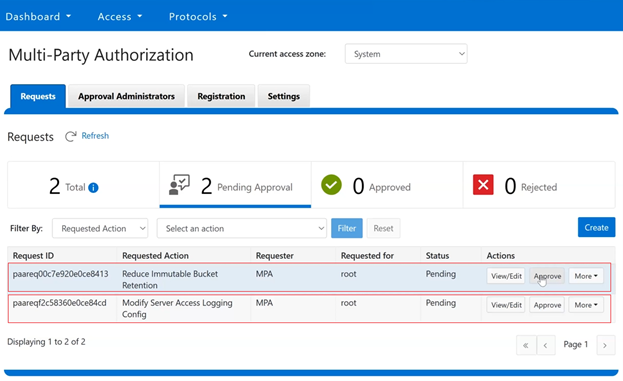
After logging into the WebUI with an MPA approver account and navigating to Access > Multi-Party Authorization > Requests, the two above S3 privileged action requests are displayed, one for reducing the immutable bucket retention period and the other for disabling server access logging:
Or from the CLI:
# isi mpa requests list
The approver(s) then use their time-based one-time password (TOTP) authenticator application to generate a security code: 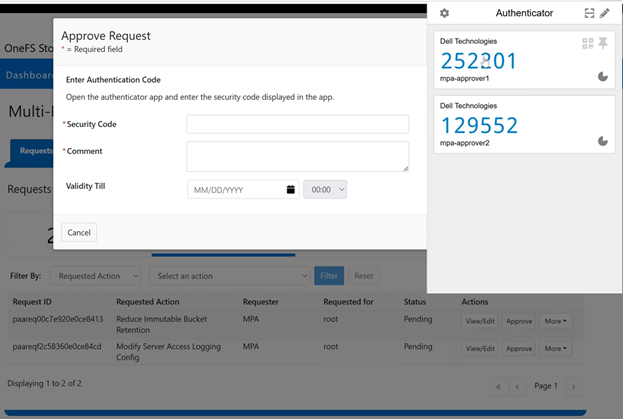
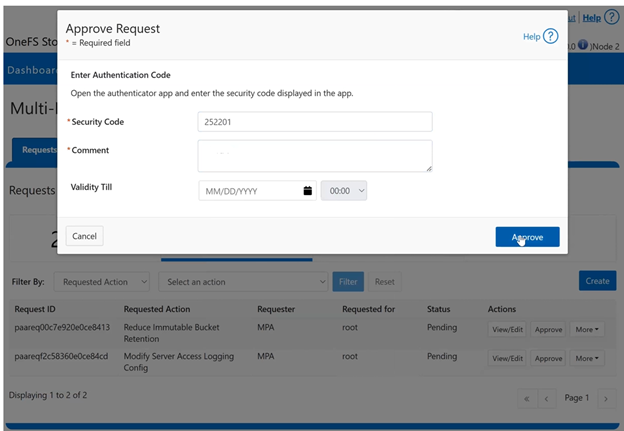
This TOTP code is then entered into the approval request’s ‘security code’, plus an additional comment and expiration time, if desired:
Or via the CLI:
# isi mpa requests list

# isi mpa requests approve <id> <comment> <approved> --totp-code <******> --approval-valid-before <timestamp> --zone <zone>
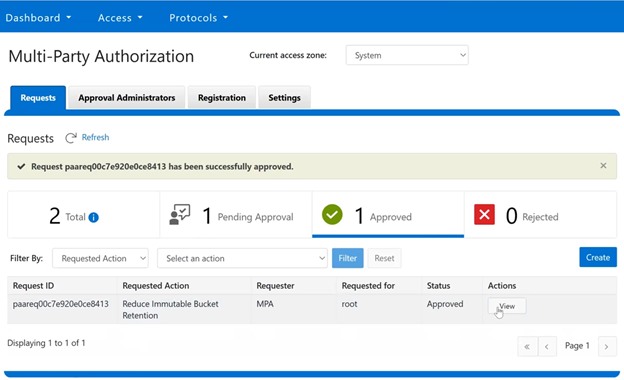
Once approved, the WebUI displays the success banner, and reports the current request status. In this case, one request approved and one still pending:
Or from the CLI:
# isi mpa requests list
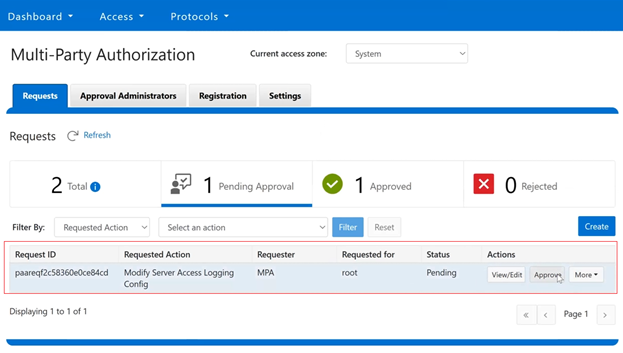
Moving on to the pending ‘disable access logging’ request:
Or from the CLI:
# isi mpa requests view <id>
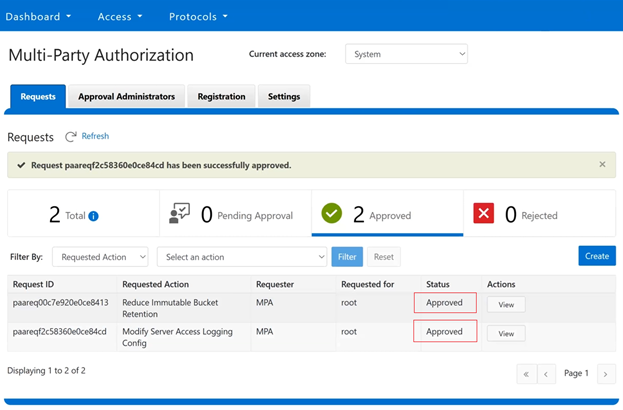
After approving the above request in the same way, the MPA status shows both requests successfully approved:
Or from the CLI:
# isi mpa requests list
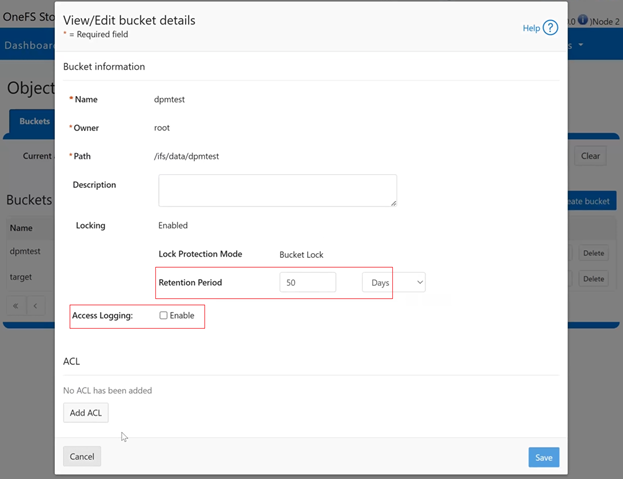
Reviewing the request details from the S3 bucket status page under Protocols > S3 > Buckets > Requests, reveals that the bucket retention period has been successfully reduced to ’50 days’ and access logging disabled, as expected:
Or from the CLI:
# isi s3 buckets view dpmtest
In the next article in this series, we’ll turn our attention to the usage of DPM from the S3 API, plus some issue investigation and troubleshooting options.